Task Time Tracker Printable Template
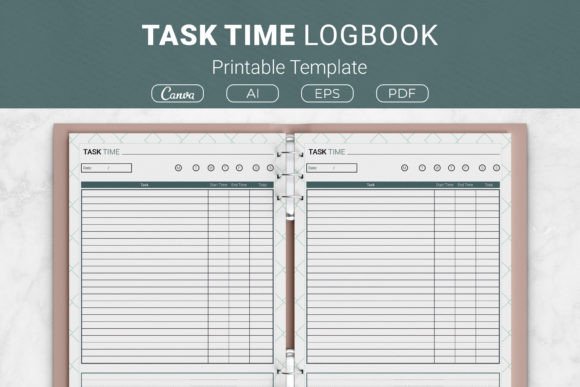
Keeping tabs on how you spend your hours can feel like just another chore. Yet without a clear record, it’s easy to lose sight of where your day actually goes. A Task Time Tracker Printable Template offers a straightforward, paper‑based solution that helps you record what you work on, for how long, and any notes that add context. By capturing this information in a structured layout, you can spot patterns, eliminate time‑wasting habits, and make more intentional choices about your schedule.
Why Tracking Your Time Matters
Most people underestimate how much time routine tasks eat up. Checking email, responding to messages, switching between projects—all these small actions accumulate. Without a log, it’s nearly impossible to see where improvements can be made. A time tracker gives you concrete data rather than guesses. You might discover that a task you thought took thirty minutes actually takes an hour, or that you spend twice as long on social media as you realised. That insight alone can prompt meaningful changes in how you structure your day.
Beyond awareness, tracking time also builds accountability. When you know you’ll be writing down every block of work, you’re less likely to drift into unproductive habits. The act of logging becomes a gentle reminder to stay focused. Over time, this simple habit strengthens your ability to estimate how long future tasks will take, leading to better planning and less last‑minute stress.
What’s Included in This Printable Template
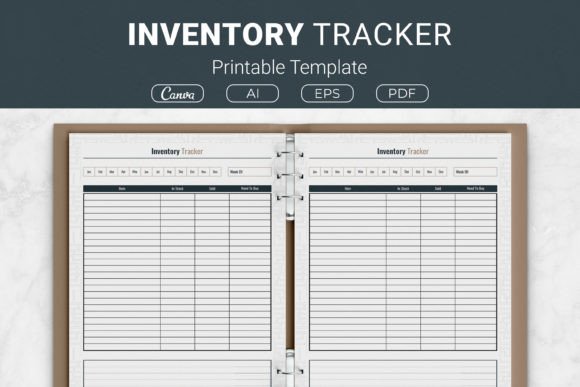
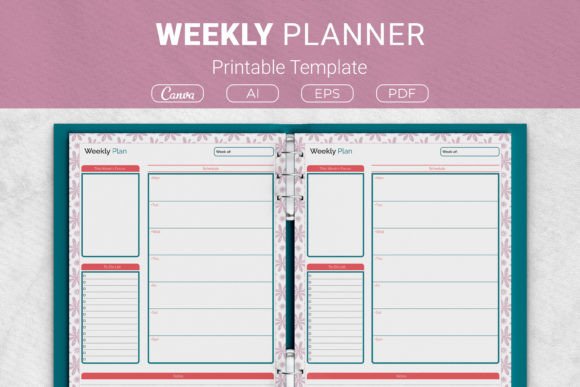
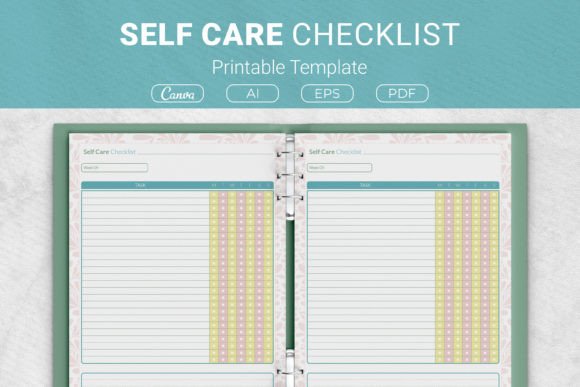
The Task Time Tracker Printable Template comes with a range of formats so you can use it exactly how you prefer. Inside the package you’ll find:
- AI Illustrator files – open source vector files that you can edit in Adobe Illustrator.
- EPS file – compatible with many graphic design applications.
- PDF files – ready to print straight from your computer or local print shop.
- Link to Canva Templates – makes customising the design easy, even if you don’t have professional software.
This variety means you can tweak colours, add your own headers, or adjust the layout before printing. The sizes offered cover the most common needs:
- US Letter (8.5 x 11 in)
- A4 (210 x 297 mm)
- 7.5 x 9.25 in
- 6 x 9 in
Whether you plan to keep sheets in a binder, use a disc‑bound system, or simply print single pages, one of these dimensions will fit.
Real‑Life Ways to Use the Task Time Tracker
The beauty of this template lies in its simplicity. You don’t need a complicated app or a steep learning curve. Here are a few realistic scenarios where it shines:
For a Freelancer or Solopreneur
Imagine you’re a graphic designer juggling client projects, invoicing, and marketing. Jot down each task as you start it—designing a logo (45 minutes), replying to emails (20 minutes), updating your portfolio (30 minutes). Add quick notes like “client feedback pending” or “used new colour palette.” After a week, review your log. You might see that administrative work is eating into creative time, prompting you to batch those tasks or outsource some.
For a Student Preparing for Exams
Studying can feel vague until you break it into measurable sessions. Use the tracker to log study blocks for each subject. Include notes about which chapters you covered or concepts that felt tricky. At the end of the week, you’ll have a clear picture of how much time you actually spent on physics versus history. This helps you rebalance your efforts before exam day.
For a Remote Employee Managing Multiple Projects
When your day involves switching between meetings, reports, and collaborative work, it’s easy to lose track. Record each activity with its duration. The notes column can hold action items or key decisions. Presenting a completed log to your manager can also demonstrate your productivity during performance reviews or when negotiating workload.
For Personal Projects and Household Tasks
Time management isn’t just for work. Planning a renovation, organising a family event, or even exercising can be logged. You might note that grocery shopping and meal prep took two hours, then decide to streamline the process. Over time, you’ll reclaim minutes that add up to hours each week.
Who Will Find This Template Most Useful
While anyone can benefit from tracking time, certain groups will get the most value:
- Students – learning to manage study hours and avoid cramming.
- Professionals – improving focus and demonstrating output.
- Freelancers – ensuring billable hours are accurate and identifying slow projects.
- Small business owners – monitoring where their own time goes so they can delegate or automate.
- Educators – planning lesson prep and grading schedules.
- Hobbyists and creators – carving out regular time for creative pursuits without guilt.
Even if you consider yourself a beginner at time management, the template’s structure provides guidance without being overwhelming. Simply fill in the task name, start and end times, and any relevant notes.
Perfect for KDP Projects and Personal Printing
If you’re a content creator exploring Kindle Direct Publishing, this template makes an excellent interior for a low‑content book. You can use the provided AI and EPS files to customise the design, then upload the PDF directly to KDP. The included sizes—especially 6 x 9 in and 7.5 x 9.25 in—are standard for paperback planners. Alternatively, print it at home for personal use. Slip the pages into a binder or three‑ring folder, and you have a reusable time log that costs pennies compared to a pre‑printed planner.
Tips for Getting the Most Out of Your Time Log
To turn your tracker from a simple record into a genuine productivity tool, keep a few points in mind:
- Fill it in as you go. Waiting until the end of the day invites memory gaps. A quick entry when you switch tasks takes seconds and is far more accurate.
- Be honest with your notes. If you spent fifteen minutes scrolling social media, note it. Recognising these moments helps you decide whether to block distracting apps or schedule short breaks.
- Review weekly, not daily. Daily analysis can feel tedious. Set aside ten minutes every Sunday to look over the week’s entries. Look for patterns—time of day you feel most productive, tasks that drain energy, unexpected interruptions.
- Use it as a baseline. After two or three weeks, compare your logs. If you’ve made changes (like batching emails or using a timer), do you see improvements? Adjust your approach based on real data.
- Don’t aim for perfection. Some days you might forget to log a task. That’s fine. The goal is progress, not a flawless record. Consistency over time matters more than a perfect single sheet.
Remember that this template is a tool, not a cure‑all. It works best when paired with a willingness to experiment and adapt. You might combine it with a daily to‑do list or a weekly review routine to get the full benefit.
Getting organised doesn’t require a complex system. A printed log, a pen, and a few minutes each day can give you the clarity you need to take control of your schedule. The Task Time Tracker Printable Template provides everything you need to start—multiple file formats, popular sizes, and a simple layout that works in any context. Whether you’re tracking billable hours, studying for exams, or simply curious about your daily habits, this template offers an accessible first step toward better time management.