Editable Daily and Weekly Planner – Your Key to Staying Organized and Productive
If you’ve ever felt overwhelmed by scattered notes, forgotten appointments, or a vague sense of not making progress, you’re far from alone. Many adults juggling careers, side projects, family, and personal goals find that a simple, adaptable planning system makes all the difference. The Editable Daily and Weekly Planner available in Canva is exactly that – a flexible, digital template designed to help you take control of your days and weeks without the rigidity of pre-printed notebooks. Yet, even with such a useful tool, common pitfalls can stop you from getting the most out of it. Let’s walk through what this planner is, why it’s worth your attention, and – more importantly – how to avoid the missteps that lead to frustration.
What the Editable Daily and Weekly Planner Really Offers
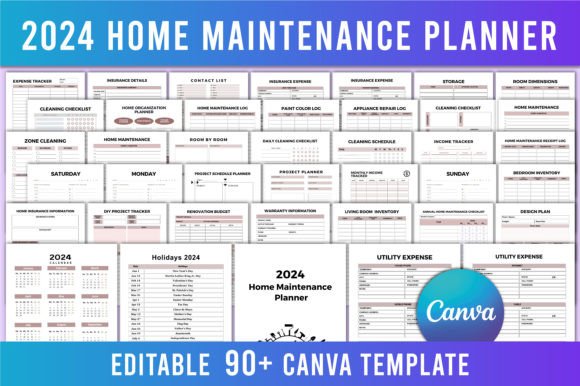
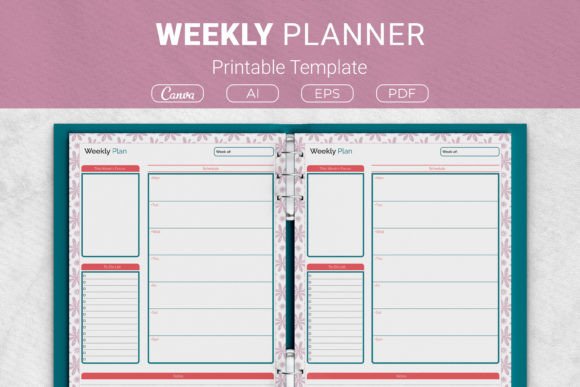
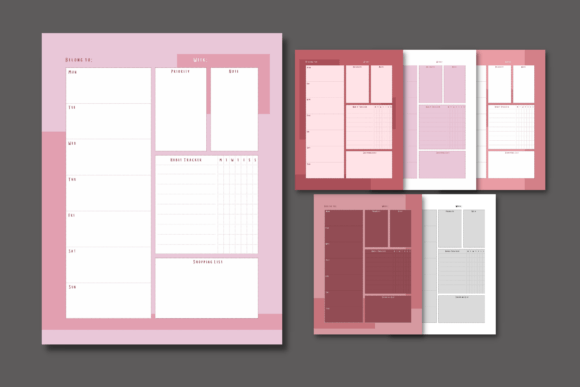
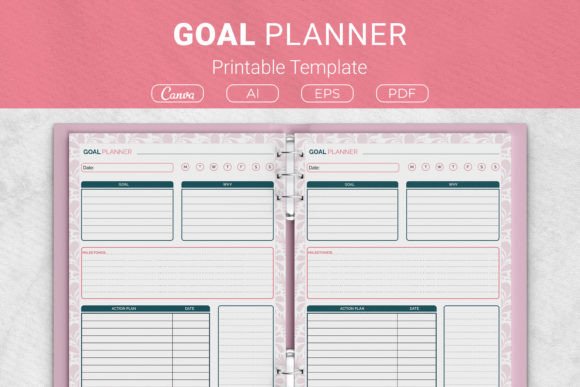
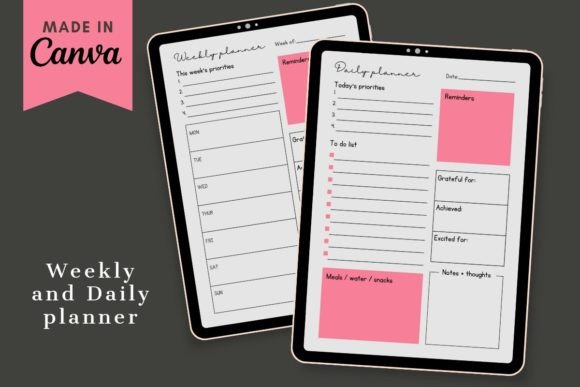
At its core, this is a set of two ready-made Canva templates: one for daily planning and one for weekly overviews. The design is clean, modern, and deliberately minimal so you can focus on what matters. Because it’s editable, you can change colors, fonts, sections, and layout elements to match your personal style or brand. You don’t need Canva Pro – a free account works perfectly. After downloading the PDF with the template link, you open it in Canva, add your own text and images, and export as PDF, JPEG, or even video. It’s a digital download; no physical product ships. The appeal? You get the structure of a professional planner without the expense of printing hundreds of pages upfront, and you can reuse and tweak the templates week after week.
But here’s where many people stumble: they assume the template will work perfectly right out of the box, exactly as it appears on the screen. That assumption often leads to disappointment or abandonment. To truly benefit, you need to treat these templates as a starting point, not a finished solution.
Mistake #1: Using the Template Without Understanding Your Own Needs
The biggest error I see is skipping the self-assessment step. Someone downloads the planner, opens it, and immediately starts typing tasks into the prefilled sections – but those sections may not align with how they actually work. For example, the daily planner might have a “top three priorities” box, but if your workflow involves project-based blocks or hourly scheduling, forcing your tasks into that format creates friction. The result? You either abandon the template or spend extra time overriding its structure.
Before you touch any text box, take fifteen minutes to list what you need from a planner. Are you a goal-setter who wants a weekly vision at a glance? Or a detail-oriented person who needs hour-by-hour tracking? Do you prefer a simple to-do list, or do you need space for notes, habit tracking, and reflection? The Editable Daily and Weekly Planner is fully customizable, so you can add, remove, or rearrange sections. Use that flexibility. For instance, if the weekly layout includes a “gratitude” box but that feels forced to you, delete it and add a “next week’s focus” area instead. The design should serve your habits, not the other way around.
Mistake #2: Overcomplicating the Design Too Early
A close cousin of the first mistake is the temptation to make the planner visually perfect before you’ve even used it. People with a creative bent often spend hours choosing complementary fonts, matching accent colors, and inserting aesthetic icons. While there’s nothing wrong with a beautiful template, chasing perfection upfront can make you lose sight of the planner’s purpose: organization. You might end up with a gorgeous file that you’re afraid to “mess up” with real tasks.
Here’s a better approach: start with a simple color palette – one or two neutrals plus one accent – and keep the default layout for your first week of use. During that week, take notes on what feels missing or excessive. Then, in the second week, edit the template based on real experience. Add a separate block for meal planning if you find yourself writing grocery notes in the margins. Remove the time blocks if you prefer open-ended lists. By iterating based on actual use, you avoid over-engineering and end up with a planner that genuinely works.
Mistake #3: Misunderstanding the Digital Download and Canva Workflow
Another common hurdle is confusion around how to actually use the template. Because it’s a digital download, some buyers assume they need special software beyond Canva. Others try to edit the PDF directly (which doesn’t work) or forget that the link in the PDF is essential. The result is frustration and a lost opportunity.
Know the process: after purchase, you receive a PDF file. Inside that PDF is a clickable link that opens the template in Canva. You must have a free Canva account. Once inside, you can edit everything. Then export your final planner page as a PDF (for printing) or as an image (for digital use). If you plan to print the planner each week, set up your Canva document size to match your printer paper (US Letter or A4). If you prefer digital planning, consider using a tablet with a PDF annotation app – but note that the template itself is not interactive; it’s a static design you fill in each week. Some users mistakenly think it’s an app; it’s not. It’s a template you reuse by making copies in Canva or by exporting blank versions and filling them out manually.
To avoid this misunderstanding, create a system: keep a master copy of the template in Canva, and each week use “Make a copy” from the file menu to create a fresh instance. That way you never alter your original design. Also, save your personalized version as a Canva template so you can access it quickly.
Mistake #4: Ignoring the Power of Reuse and Adaptation
Some people use the planner once, decide it doesn’t fit, and discard it. They miss the point that this is a template – you are supposed to modify it repeatedly until it fits like a glove. The Editable Daily and Weekly Planner shines when you treat it as a living document. For example, after a few weeks you might realize that the daily planner needs a spot for water intake or a mini habit tracker. Go ahead and add it. You might also find that the weekly overview works better for planning meals than for tracking work projects. Adapt the template to your current season of life. There is no “wrong” version; only what works for you.
A corollary: do not feel locked into using both the daily and weekly templates every single day. Some people thrive with a weekly overview but only fill in daily pages when life gets hectic. Others use the daily planner religiously and rarely glance at the weekly spread. That’s fine. The product gives you two formats; mix and match as needed.
Mistake #5: Neglecting Consistency and Habit Formation
Having a beautiful, customized planner is useless if you don’t build a habit of using it. The most common reason people abandon planners is that they expect immediate results without practice. You might fill out the weekly page on Sunday evening, then ignore it until Friday, wondering why your week felt chaotic. That is not the template’s fault; it is a user error. The Editable Daily and Weekly Planner is a tool, not a magic solution. To gain its benefits, you need to establish a routine:
- Set aside 10 minutes each evening to review the next day’s tasks on your daily page.
- Use the weekly page every Sunday or Monday to map out priorities.
- Keep the planner visible – either printed on your desk or open as a tab on your device.
- Resist the urge to skip tasks; instead, migrate them to the next day.
If you notice you consistently avoid using the planner, ask yourself why. Is the layout still not right? Is the template too large or too small for your screen? Adjust. The editable nature means you can refine the template until it becomes a natural part of your routine.
What to Check Before You Finalize Your Planner
Before you commit to a specific design or start printing dozens of copies, run through a quick checklist. Verify that the template you created in Canva prints correctly on your chosen paper size. Check font sizes – if you tend to write small or big, adjust accordingly. Ensure that the contrast between text and background is high enough for easy reading, especially if you plan digital use. If you share the planner with a team or clients, double-check that any branding elements are appropriate and that you have permission to use images or fonts commercially (if relevant). Because this is a Canva template, most elements are safe, but it never hurts to confirm.
Also, think about your privacy. If your planner contains sensitive goals or business data, consider saving a generic version without sensitive specifics, then fill in details offline or in a private folder. Digital planning is convenient, but it comes with data exposure risks; keep that in mind.
Getting the Most from Your Editable Planner: A Balanced Perspective
The Editable Daily and Weekly Planner is not about rigid perfection. It’s a practical, affordable starting point that you can shape to your life. The biggest mistake is expecting it to fix organizational struggles without your active participation. Instead, treat it as a collaborator: you bring your habits and goals, the template brings structure. Together, you can build a planning system that actually sticks.
Start with a clean slate, resist the urge to overdesign early, learn the Canva workflow thoroughly, and commit to a consistent review habit. Over time, you’ll wonder how you managed without it. And because it’s editable, it can grow and change as your priorities shift. That is the real value – a planner that evolves with you, not against you.